
Project-Me
Team project and task management: board, schedule and progress at a glance, with a professional network and job marketplace.
Teams and companies that run several projects and need to know where each one stands without chasing anyone.
What it does
- Kanban board with priorities, labels, assignees and due dates.
- Gantt schedule and critical path to see what cannot slip.
- Team calendar with tasks and meetings.
- Comments with mentions and attachments inside each task.
- Six workspace roles and a dedicated team per project.
- Professional network and job marketplace; hiring and payment are agreed outside the platform.
Real Project-Me screens
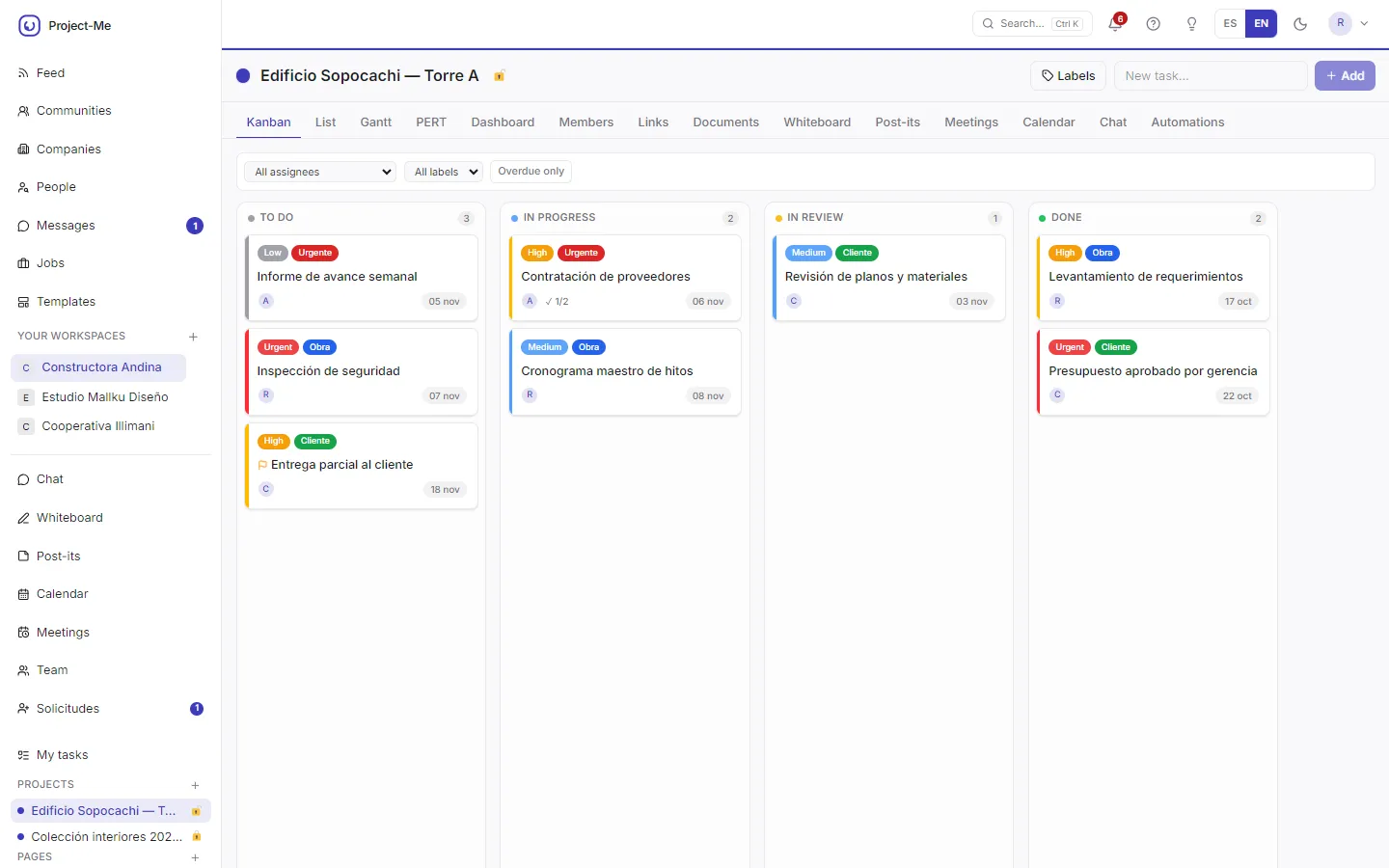
Project board
Tasks are arranged by status on a board, each with its priority, tags, owner, due date and marked milestones. The whole team sees where each task stands without asking. It is for teams managing several projects.
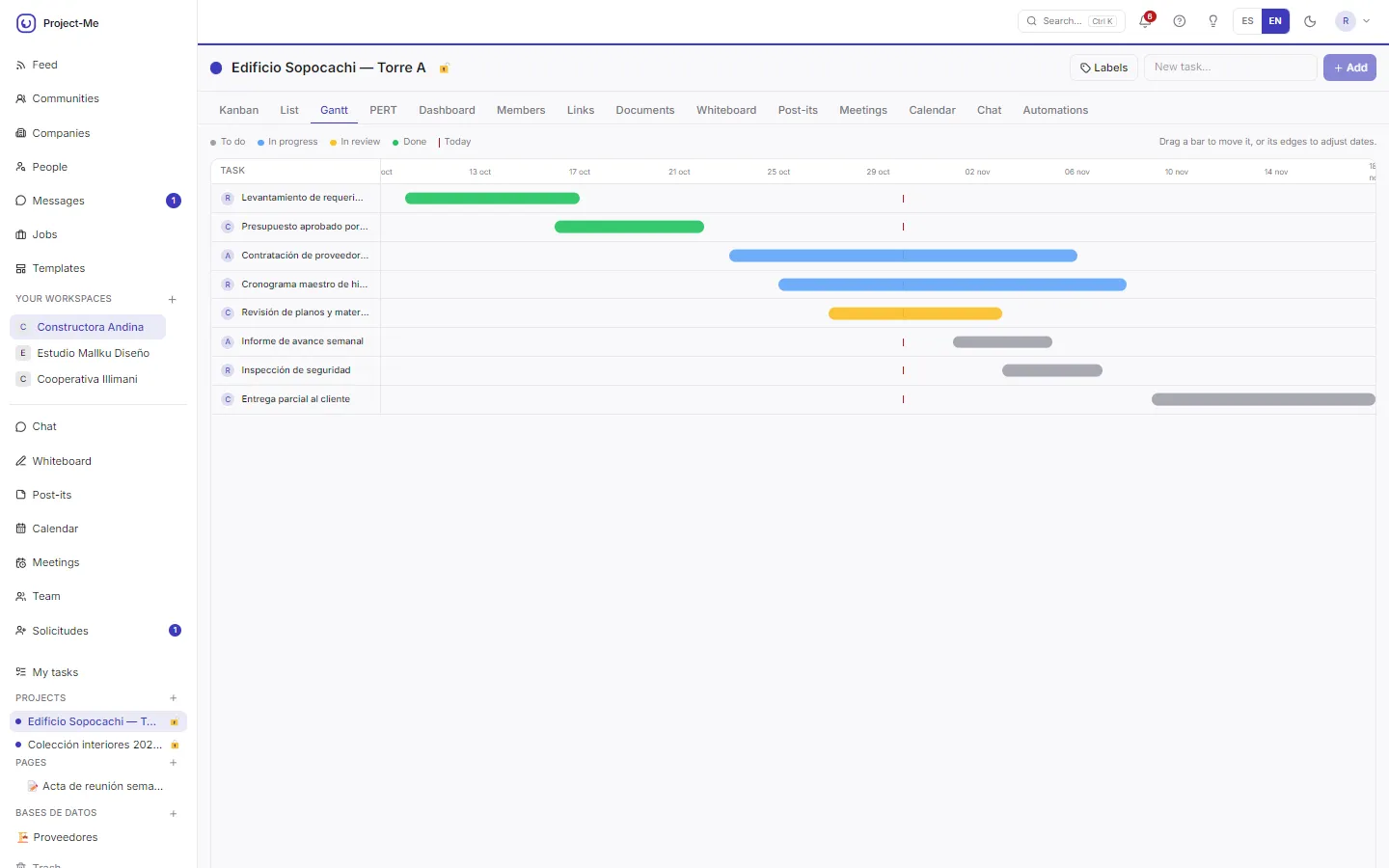
Gantt schedule
The Gantt chart places each task between its start and end, and dates are adjusted by dragging the bar. It shows how work chains over time. It serves those who plan a project deadlines.
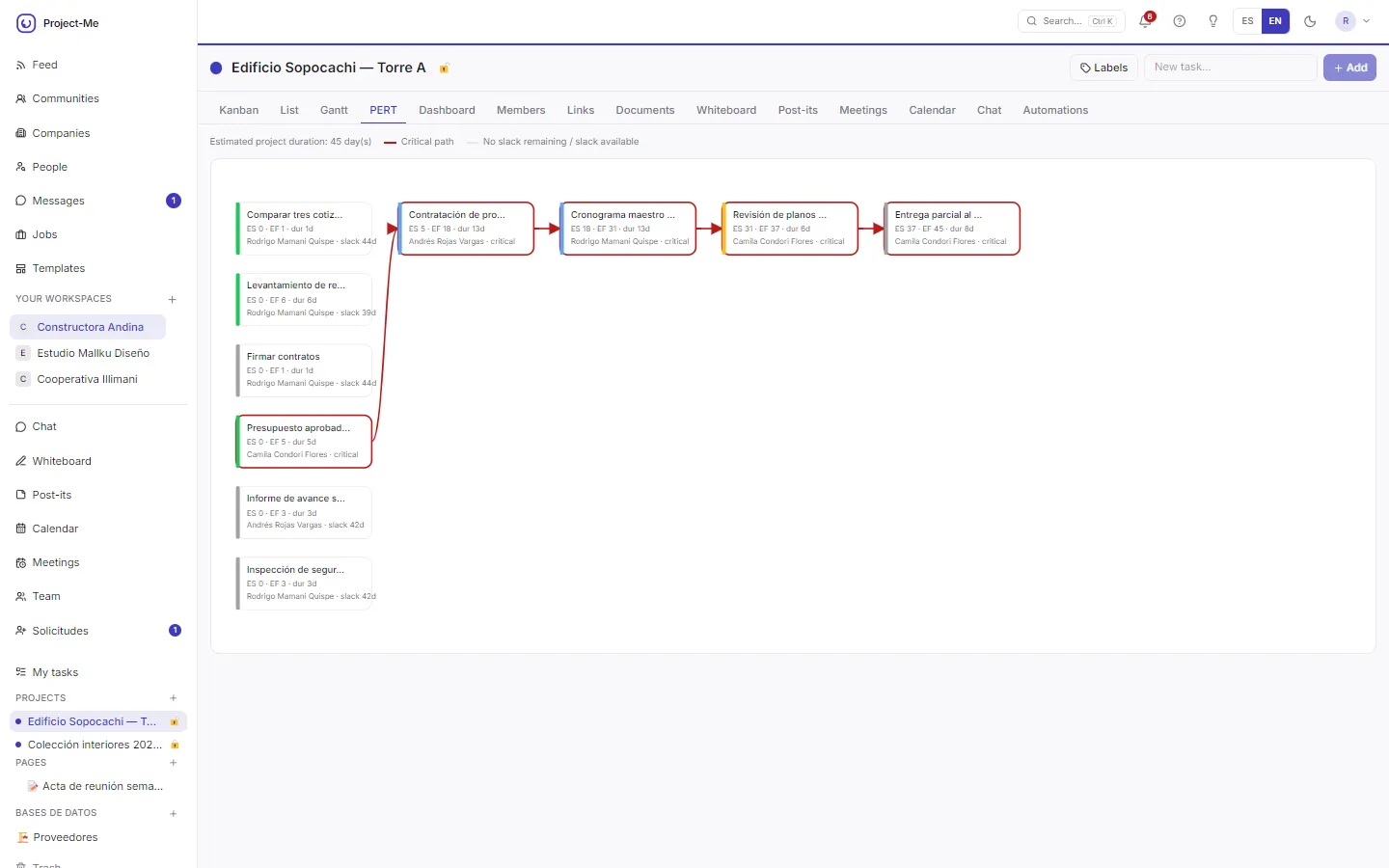
Critical path
The critical path highlights the tasks that cannot slip and shows the estimated project duration. It shows what to watch so delivery is not delayed. It is for project managers.
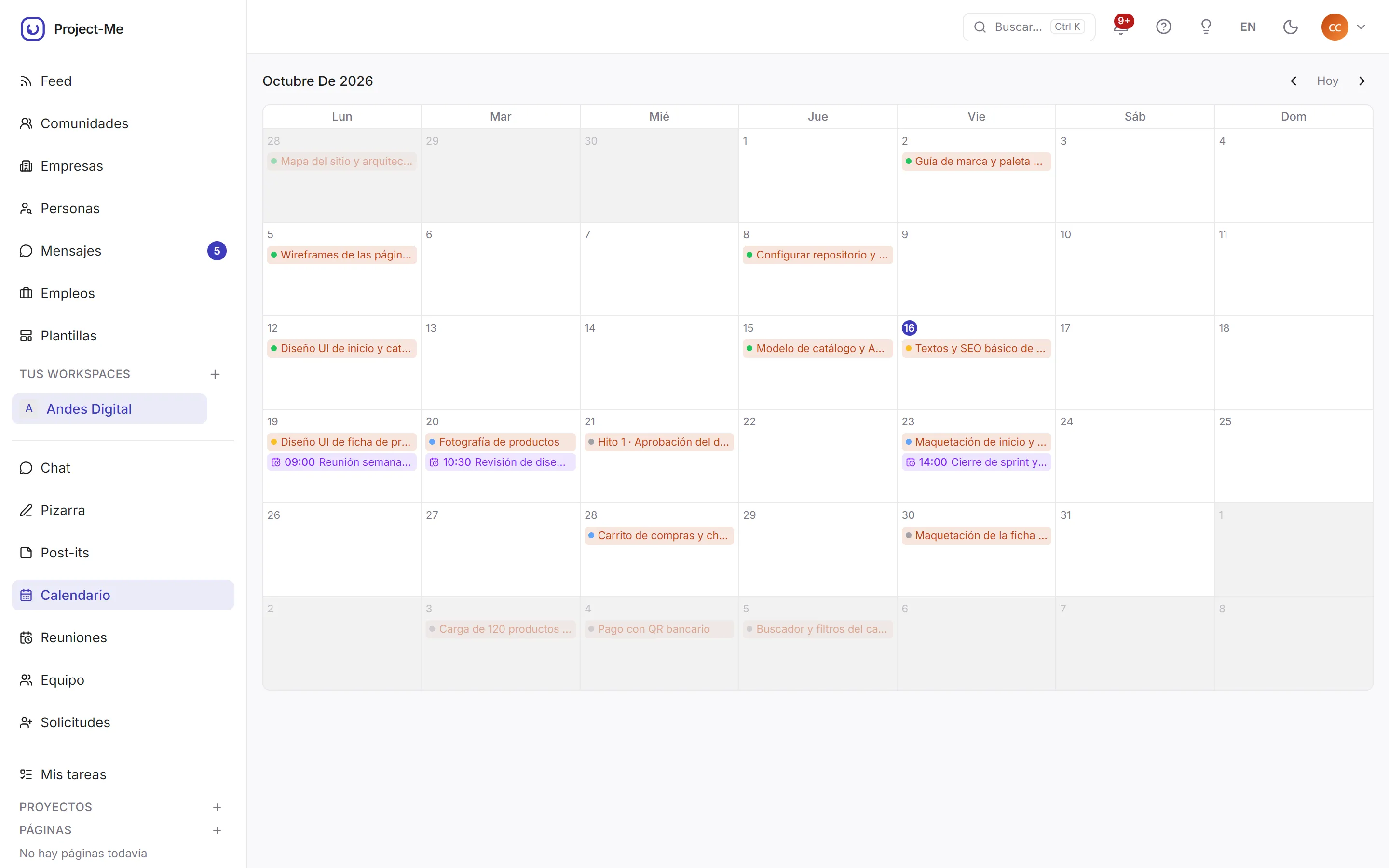
Team calendar
Tasks and meetings appear in a single monthly view. It avoids cross-checking different agendas to know what is happening this week. It serves the whole team.
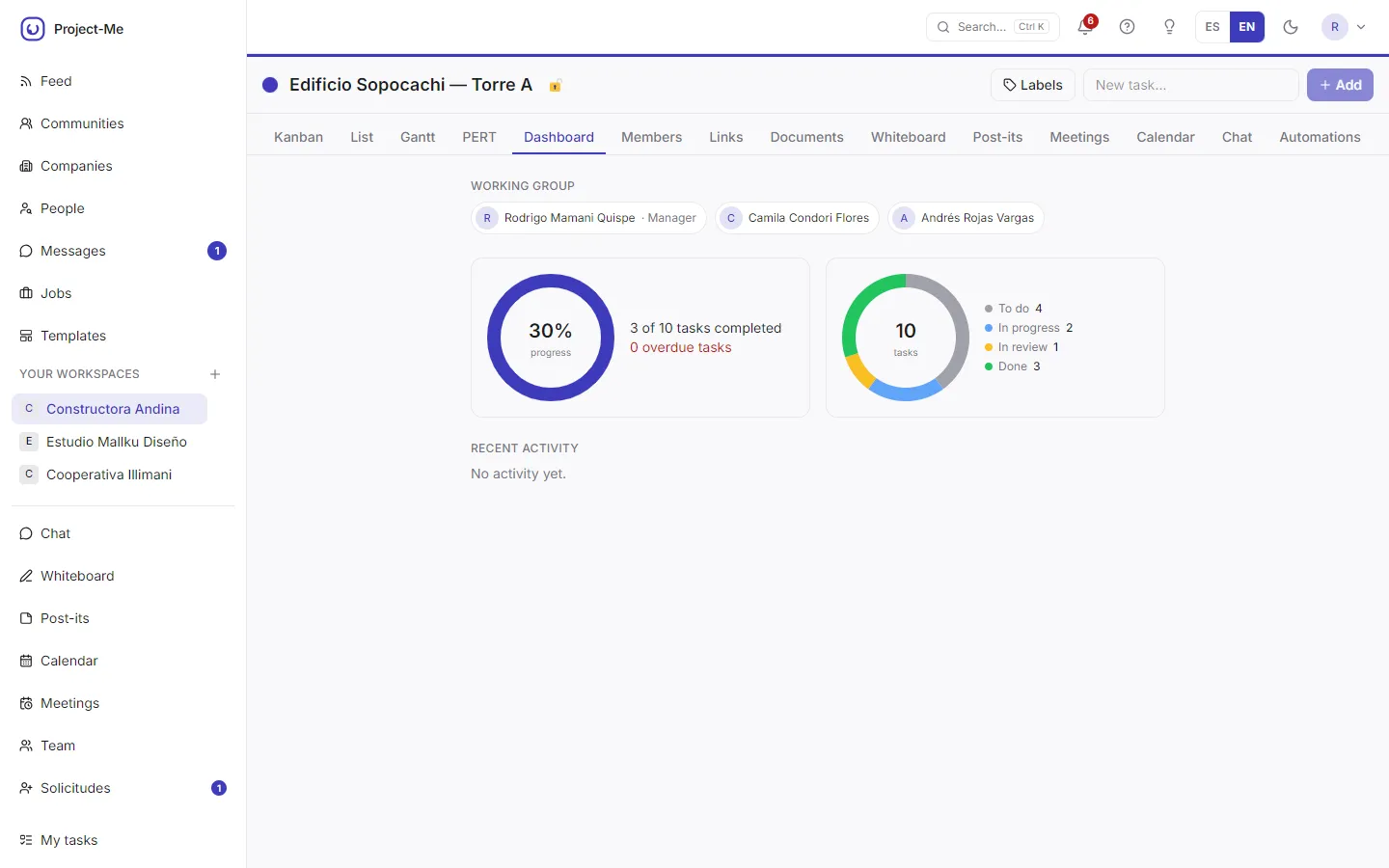
Project progress
The dashboard summarizes percent complete, tasks done and overdue, and the team with their roles. It answers how the project is going at a glance and is the basis for the progress customers see in the Kyros-Tech portal.
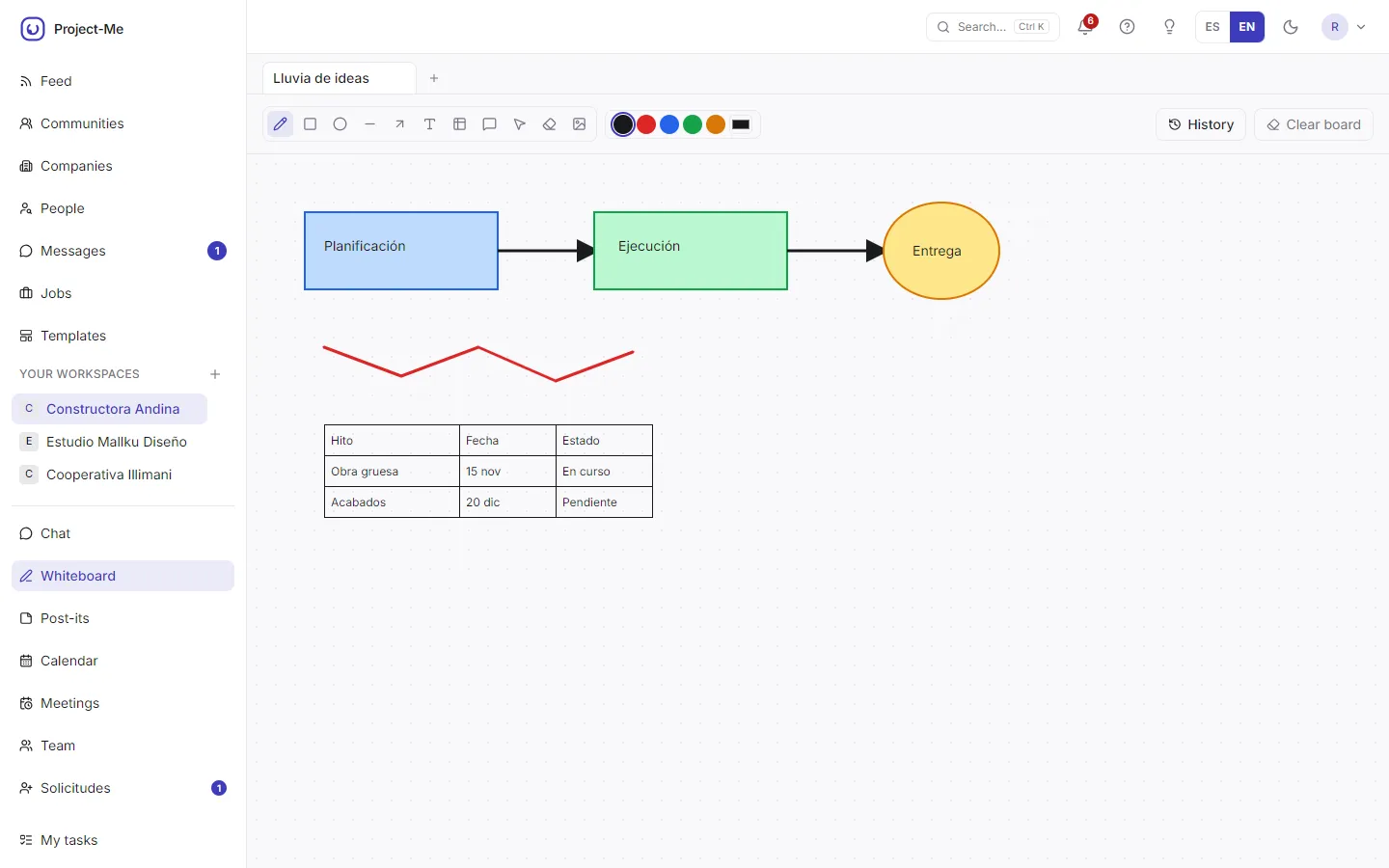
Team whiteboard
The whiteboard is for thinking together with shapes, arrows, notes and tables, and keeps a change history. It replaces the physical whiteboard when the team is spread out. It is for brainstorming and planning sessions.
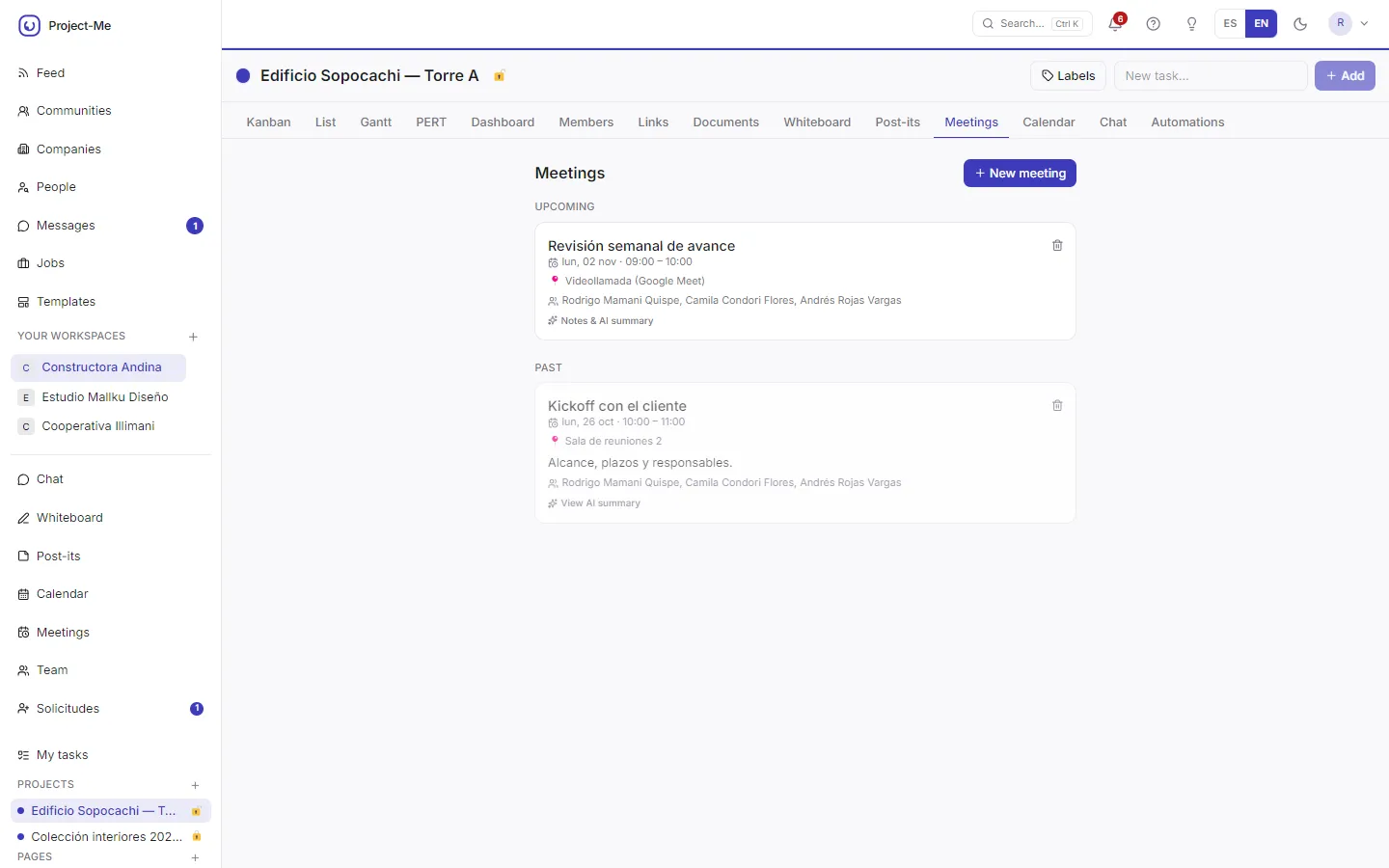
Meetings
Project meetings appear as upcoming and past, with attendees, the video-call link and an AI summary. It leaves a record of what was discussed and agreed. It serves teams that meet often.
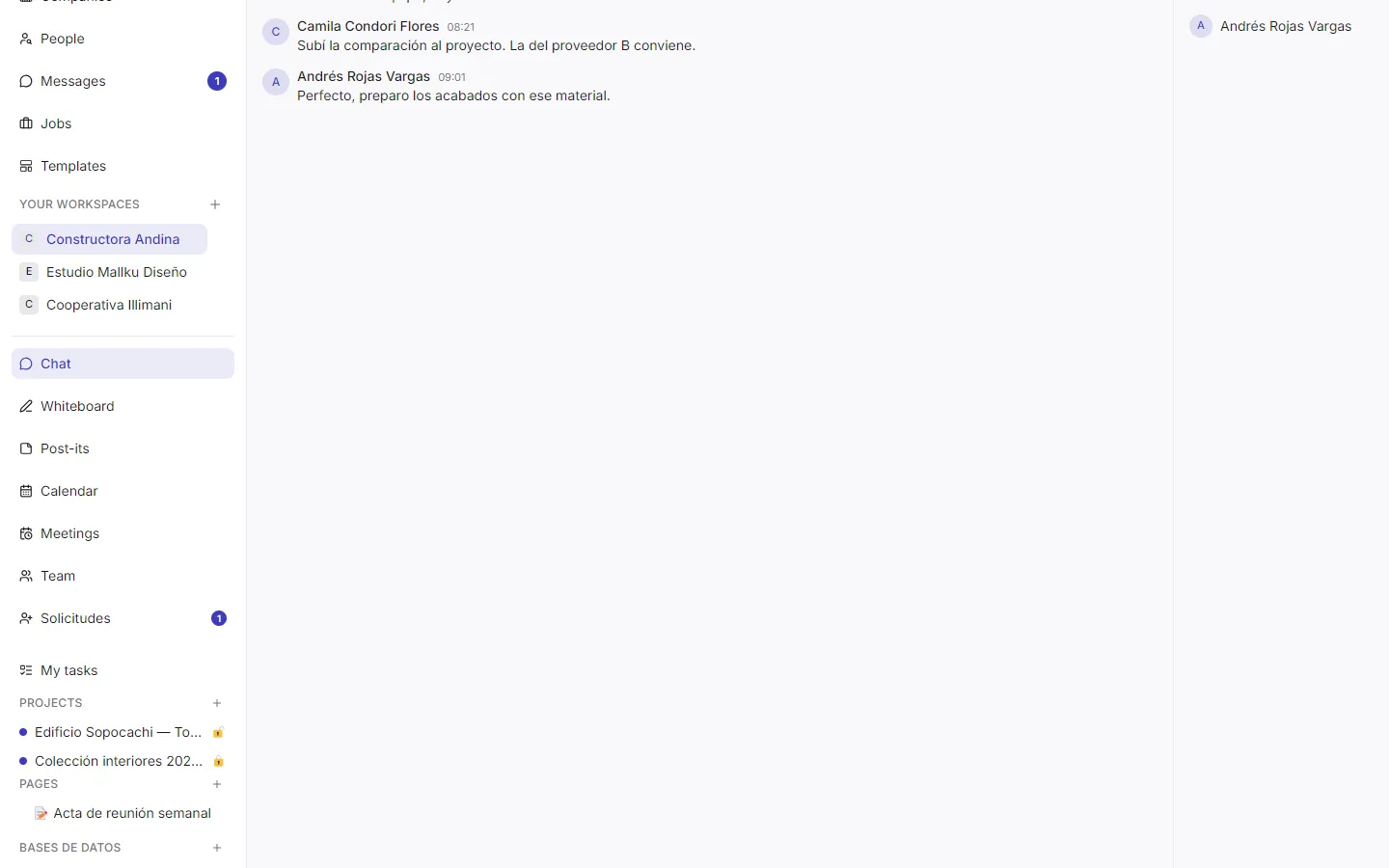
Team chat
The workspace chat lets you talk with the team and reference pages, projects or databases. It keeps conversations next to the work instead of in scattered messages. It is for small and medium teams.
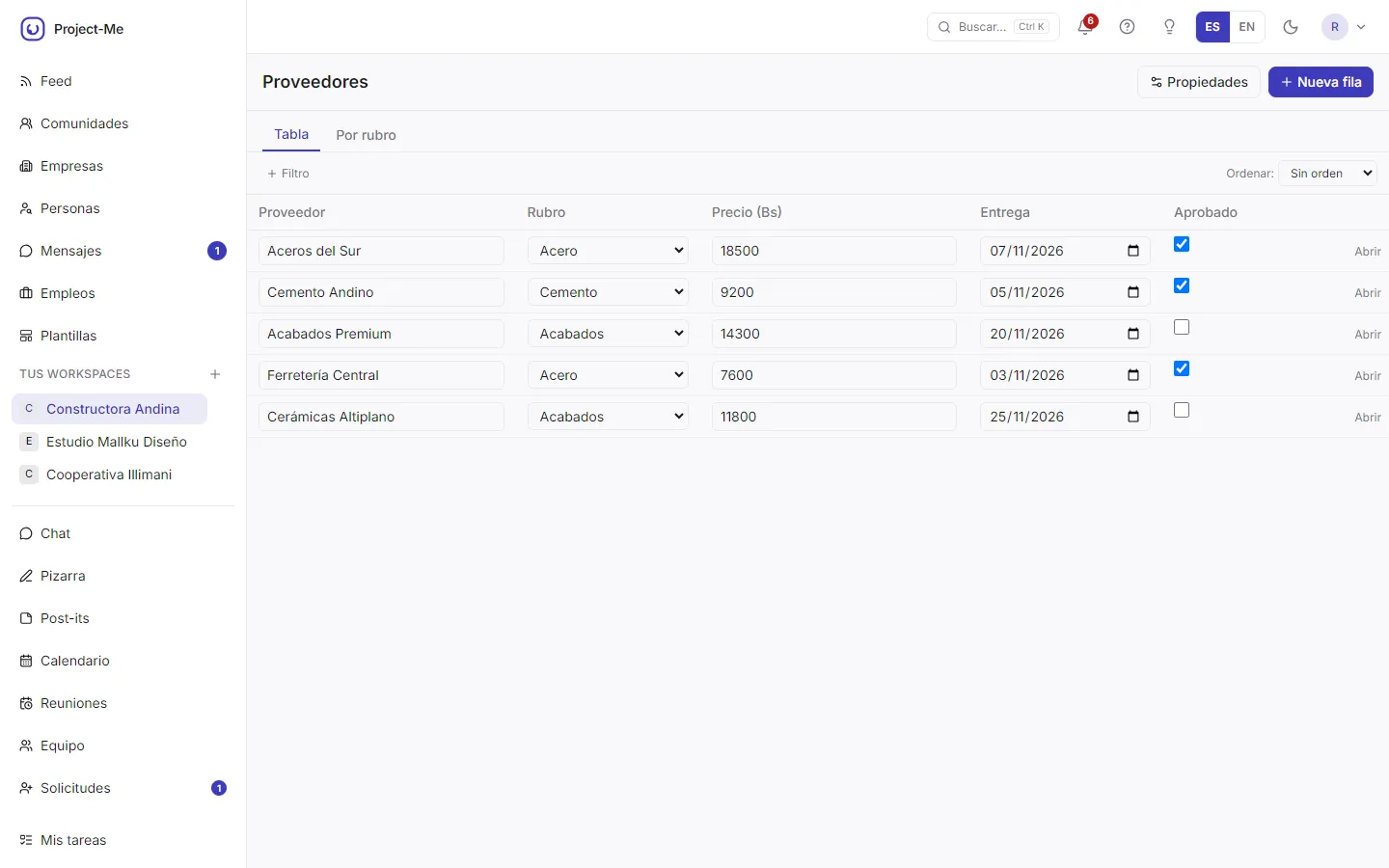
Databases with views
It lets you build your own tables, such as a supplier list with category, price and delivery date, with table or grouped views and filters. It replaces loose spreadsheets. It is for teams that need ordered data next to their projects.
We also build
Fewer manual tasks, more time to grow.
Tell us what you want to solve. In a virtual meeting we see whether we can help and send you a written proposal.